
Synchronization of orders
Orders are synchronized after the customers and the catalog, which they refer to: until these two imports have been done, the Orders tab shows what remains to be done.
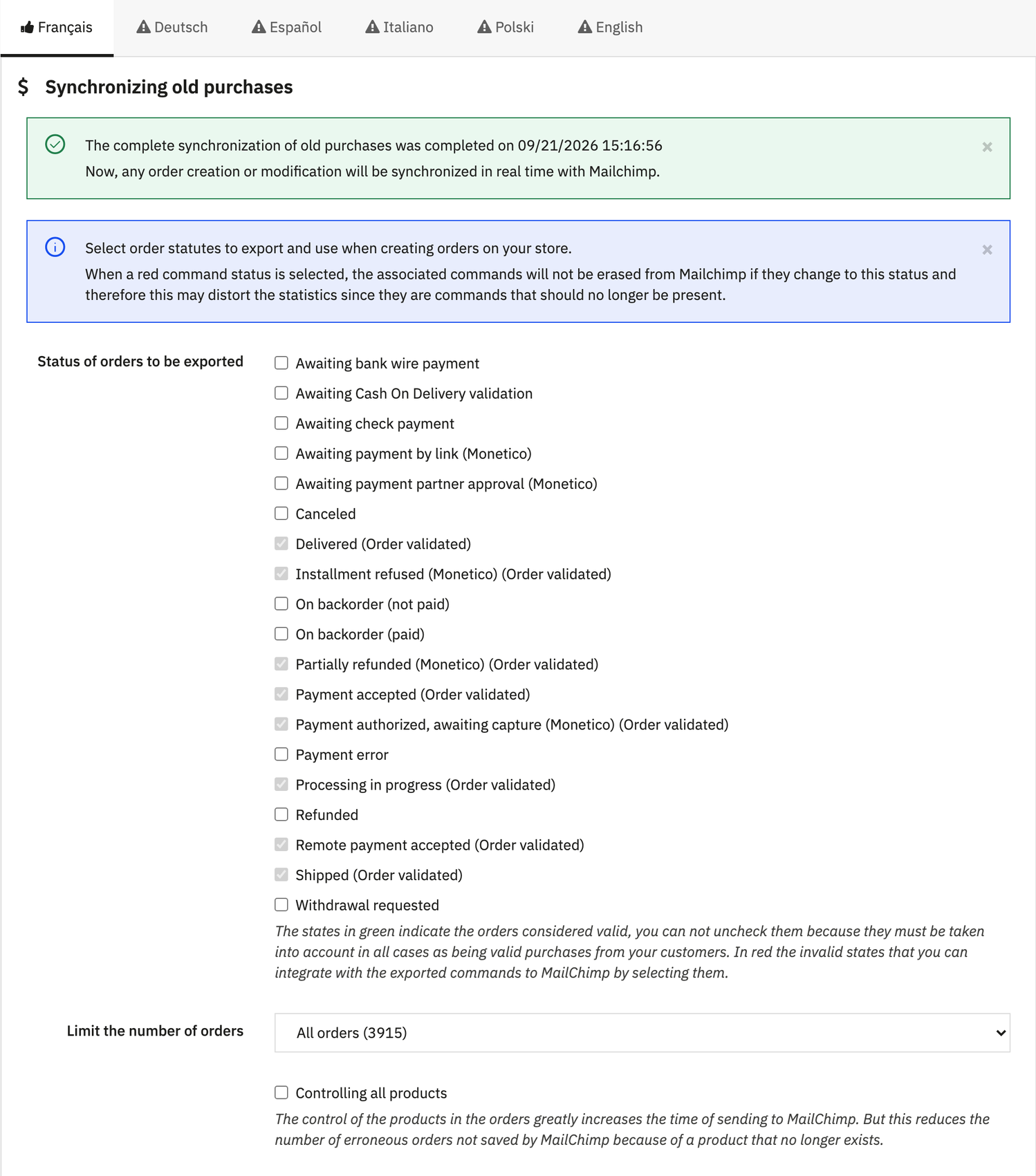
Status of orders to be exported
States marked “Order validated” are always sent and cannot be unchecked. The others are optional: an order that later moves to one of them stays in Mailchimp and counts in its statistics.
Limit the number of orders
All orders, the last year, the last month, or since the last synchronization. The number of orders concerned is shown next to each choice.
Controlling all products
Checks each product of an order in Mailchimp before sending it. Slower, but fewer orders rejected because of a product that no longer exists.
Status mapping
Below the form, each PrestaShop state can be mapped to a Mailchimp status (pending, paid, shipped, cancelled, refunded), for the Mailchimp order notification emails. The MailChimp Official Documentation link describes them.
Starting the synchronization
Save status of purchases keeps the selection without sending anything; Synchronize past purchases applies it, then starts the import. Each order sends the customer, currency, totals, taxes, shipping costs, addresses and product lines.
Only orders whose products are still in the catalog are exported: the number sent can be lower than the number of orders in the shop.