
Customer record
The customer record, in the back office, shows a PrestaMailchimp panel that puts the two databases side by side.
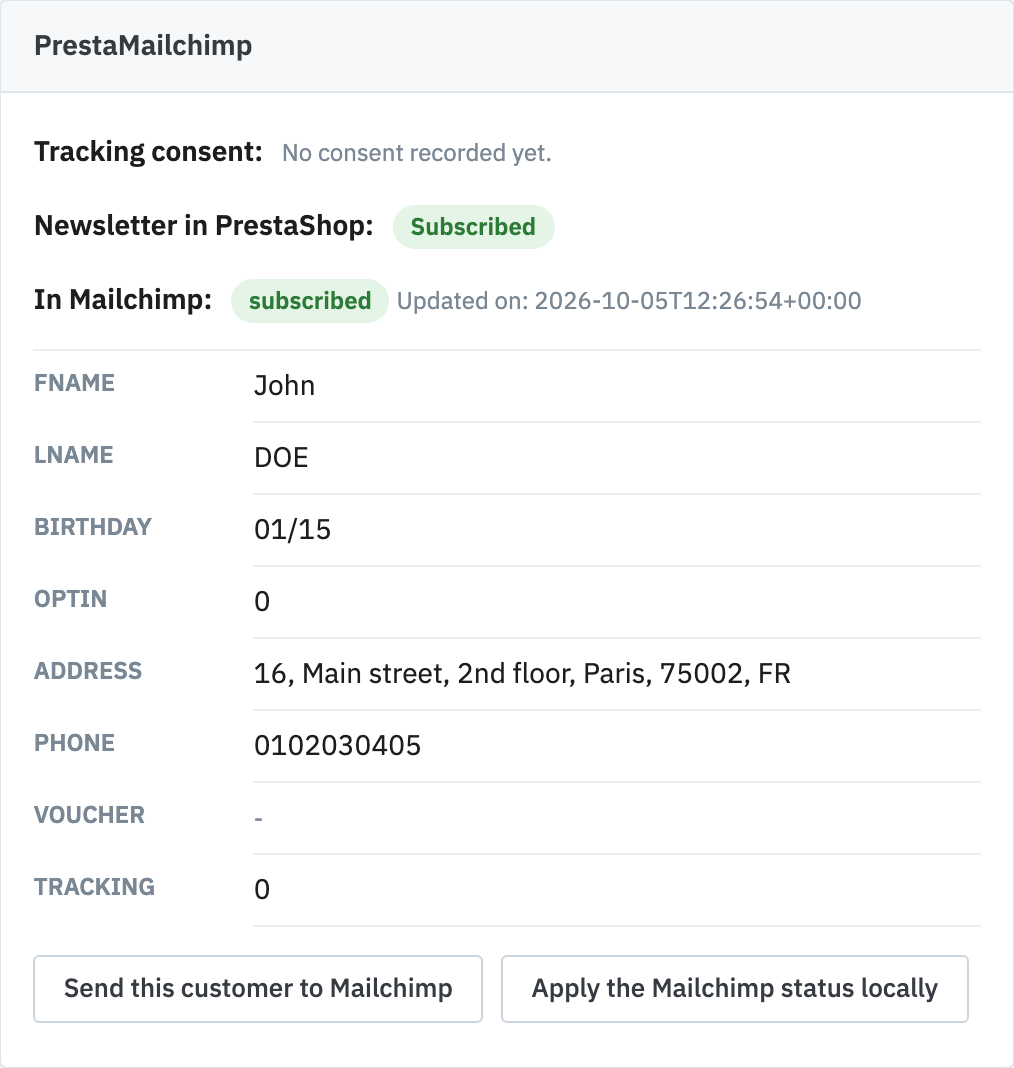
- the open tracking consent, whether it was given or refused, and its date;
- the newsletter subscription in PrestaShop;
- the status in Mailchimp (subscribed, unsubscribed, cleaned, pending, transactional), the date of its last update and the merge fields on record;
- a warning when the two databases disagree about this contact.
Fixing in one click
- Send this customer to Mailchimp: immediately sends their PrestaShop data to the audience;
- Apply the Mailchimp status locally: aligns their PrestaShop subscription with what Mailchimp says.
These buttons act on this customer alone, without running an import. The Mailchimp data is read after the page is displayed: opening a customer record never waits for the API.
This is the first thing to check when a customer says they no longer receive your emails: the panel shows at a glance what each database knows about them.