
Privacy and GDPR
The Privacy tab gathers everything the module writes or loads in the browser of your visitors. Customers, products, orders and carts never go through the browser: they are sent from your server to the Mailchimp API.
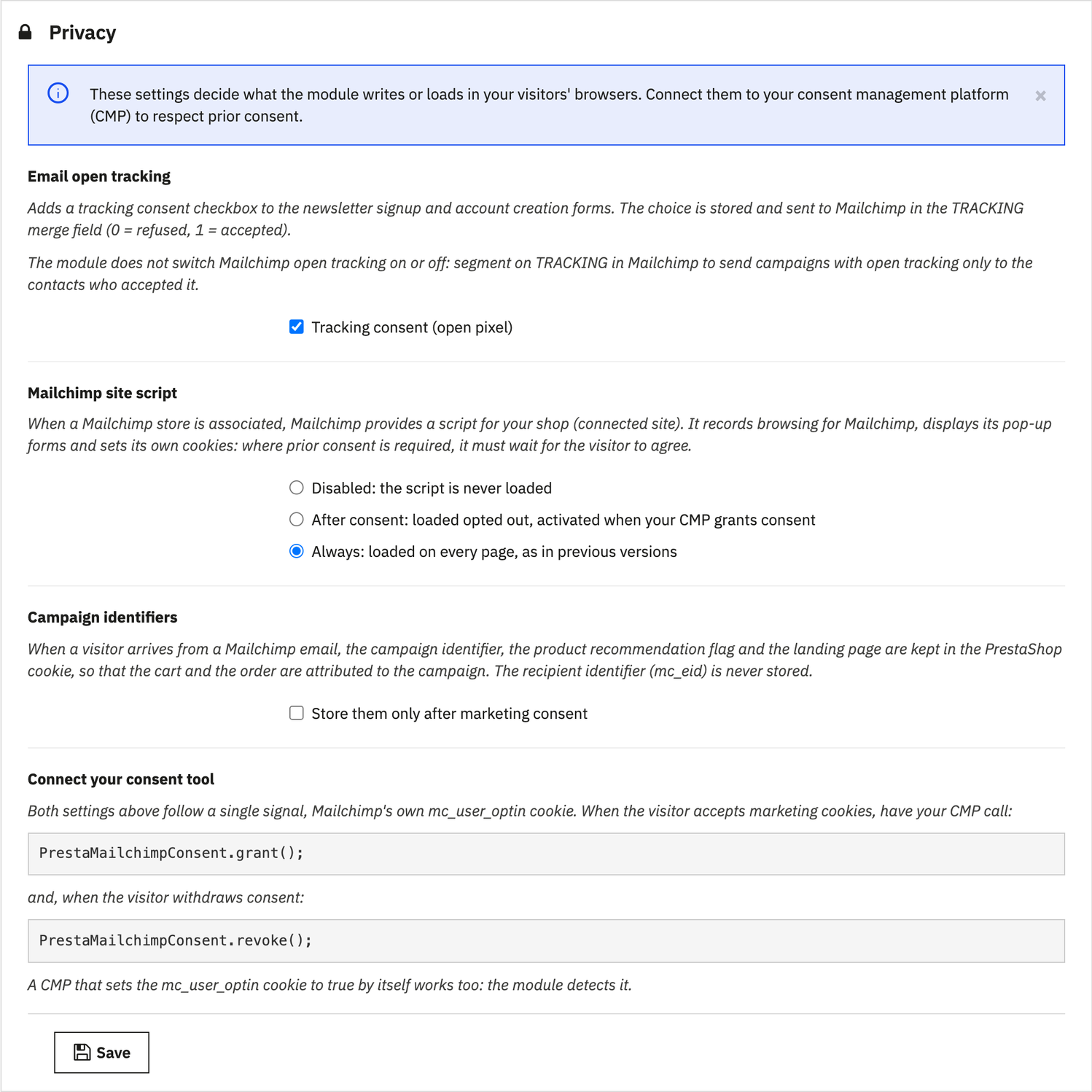
Email open tracking
Mailchimp measures email opens with a tracking pixel. In Europe, this tracking requires the person's consent, and refusing it must not affect the subscription itself.
With the Tracking consent (open pixel) option, enabled by default, the module adds a checkbox to the newsletter signup and account creation forms. The checkbox is optional: refusing never prevents subscribing, creating an account or ordering. The choice is stored with its date, then sent to Mailchimp in the TRACKING merge field (0 refused, 1 accepted).
- On the personal information page of their account, customers find the checkbox with their previous choice: they can change their mind at any time.
- The consent state appears on the customer record in the back office.
- The
TRACKINGfield is created in the audience when you save the audience in the List tab.
The module neither turns on nor turns off Mailchimp open tracking, which is set campaign by campaign. Segment on
TRACKING: campaigns with tracking for the contacts who accepted it, without tracking for the others.
Mailchimp site script
When a Mailchimp store is associated, Mailchimp provides a script for your shop (connected site). It records browsing for Mailchimp, displays its pop-up forms and sets its own cookies. Three modes:
- Disabled: the script is never loaded;
- After consent: the script is loaded without tracking and only activates once consent is given through your tool;
- Always: the script is loaded on every page.
A new installation starts in After consent mode; an updated shop keeps Always, its previous behavior, until you change the setting. The script is cached for a day: displaying a page never waits for Mailchimp.
Campaign identifiers
When a visitor arrives from a Mailchimp email, the campaign identifier, the product recommendation flag and the landing page are kept in the PrestaShop cookie, so that the cart and the order are attributed to the campaign. With the Store them only after marketing consent option, nothing is written before consent: the values wait in the page and are stored as soon as the visitor accepts. The recipient identifier (mc_eid) is never stored.
Connect your consent tool
The script and the campaign identifiers follow a single signal, the Mailchimp mc_user_optin cookie. When the visitor accepts marketing cookies, have your consent management platform (CMP) call PrestaMailchimpConsent.grant();, and PrestaMailchimpConsent.revoke(); when they withdraw their consent. A CMP that sets this cookie to true by itself also works: the module detects it.